Zilla Console
Command every Kafka cluster. Govern every access path. Ship data products at scale.
One console for every Kafka cluster you run. Define policy, publish governed API Data Products, and issue identities — enforced in real time at the Zilla Kafka Gateway.
available in
Plus add-on
Bundled in Enterprise

The problem
The hardest part of running Kafka isn’t Kafka.
The gap
Kafka moves the data. It doesn't ship a catalog, a developer portal, credentials, or policy enforcement — so platform teams build it themselves, out of tickets.
The consequence
Every access request lands in your queue. Policy scatters across ACLs, registries, and broker config. As clusters multiply, you're governing Kafka through ten browser tabs.
The resolution
The Zilla Console puts that layer in one place: see every cluster, define policy once, publish topics as governed data products, and push it all to the gateways that enforce it.

Architecture
Three planes. One identity model. No data leaves your network.
The management plane is where you design — APIs, products, policies, access. The control plane makes it real: designs become live gateway configuration. The data plane is where the action happens — the Zilla Kafka Gateway, inside your network, enforcing every decision.
Only governance metadata moves between planes. Your data never does.
Stateless data plane
Configuration is the source of truth. No operational database in the data path; every gateway hydrates independently when it attaches.
Metadata only, one direction
Gateways register outbound over an authenticated channel. Governance metadata flows down; your Kafka traffic never crosses between planes.
Multi-vendor by default
Apache Kafka, MSK, Confluent Cloud, Aiven, Redpanda, Cloudera — one Environment model, one identity model, whoever runs the broker.


The fleet
Every cluster. Every gateway. One console.
Any distribution, one model.
Drill into any cluster. Same console.
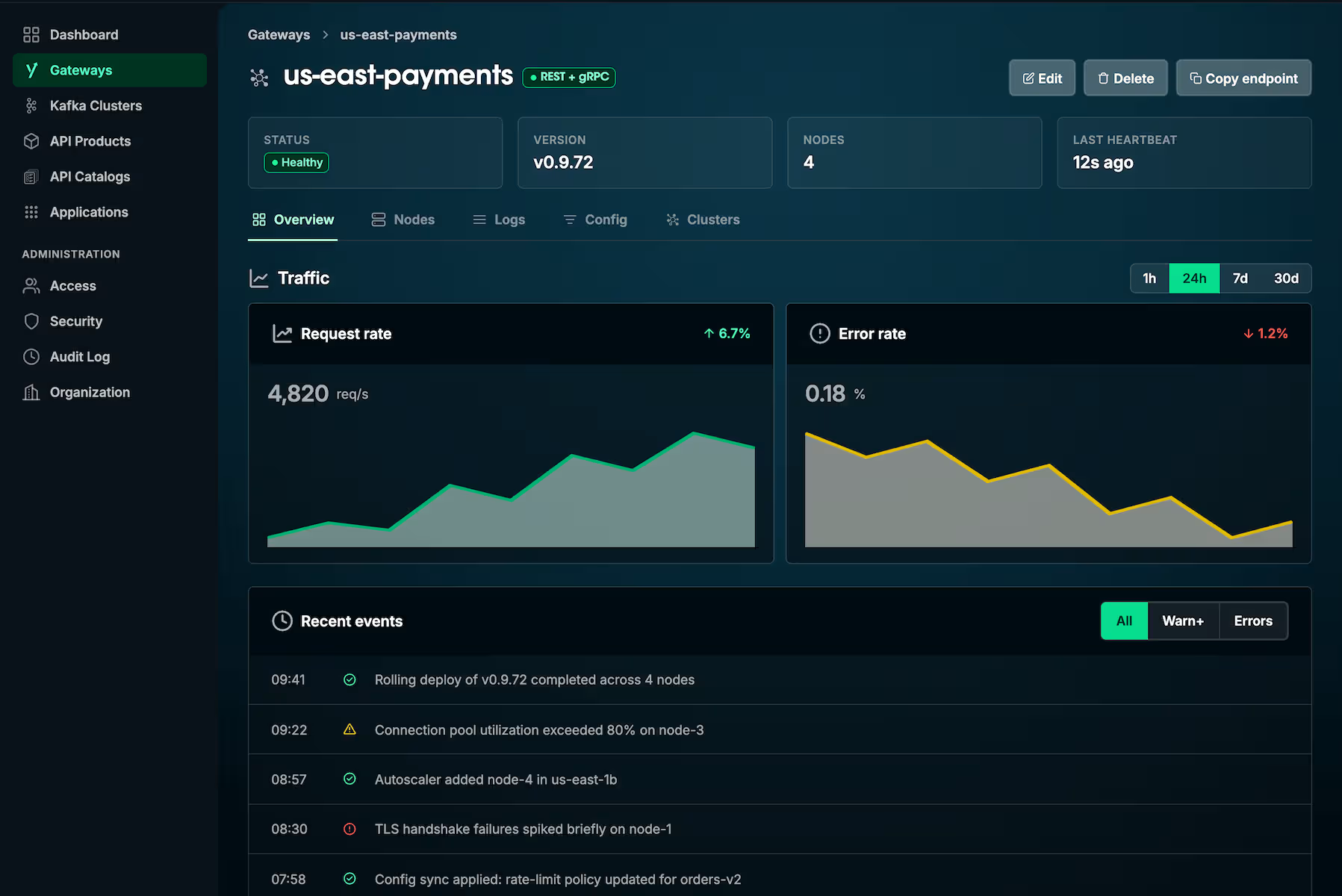
Every gateway, dialing home.


How it works
Define policy once. Enforce it where the traffic flows.
You define policy here; the gateway enforces it on every request — including passthrough clients with no subscription. Your ACLs and quotas stay as they are; this governs what they can’t reach.
Step 1
Cluster policies
Global guardrails on cluster behaviour — broker-config allow-lists, client-ID requirements, API version floors, codec allow-lists. Run audit mode to observe violations, then block mode to deny them.

Step 2
Topic policies
Naming conventions, partition and replica bounds, config allow-lists, delete protection — enforced on every create, alter, and delete request that reaches the gateway.

Step 3
Self-service mTLS certificates
Developers issue their own client certificates against a CA you control; the private key never leaves their machine. You onboard mTLS clients without ever touching a key.

Step 4
Producer and consumer policies
Producers: record and batch size limits, throughput caps, schema-registry requirements. Consumers: poll-rate limits, lag protection, read-only protection.


Topics to products
From topics to self-service data products.
One arc, one console: extract an AsyncAPI spec from live Kafka traffic, publish it as a governed API Data Product, and hand developers self-service access.
Live Kafka traffic in. AsyncAPI specs out.
Point the Console at a cluster and it generates an AsyncAPI spec from live topic traffic. One spec, two jobs: defining your API Data Products and driving schema enforcement at the gateway. With a Schema Registry, its contracts are inlined. Without one, the spec alone is enough — the fastest way to keep bad data out of Kafka, with nothing new to stand up.
From a live topic to a versioned AsyncAPI spec, with no manual authoring.
Turn a spec into an API Data Product.
Each product is its spec plus Plans — rate limit and security policy per tier: internal, partner, trial. Versions run side by side, and deployment pushes configuration to every gateway in the target Environment. No restarts, no reload scripts.
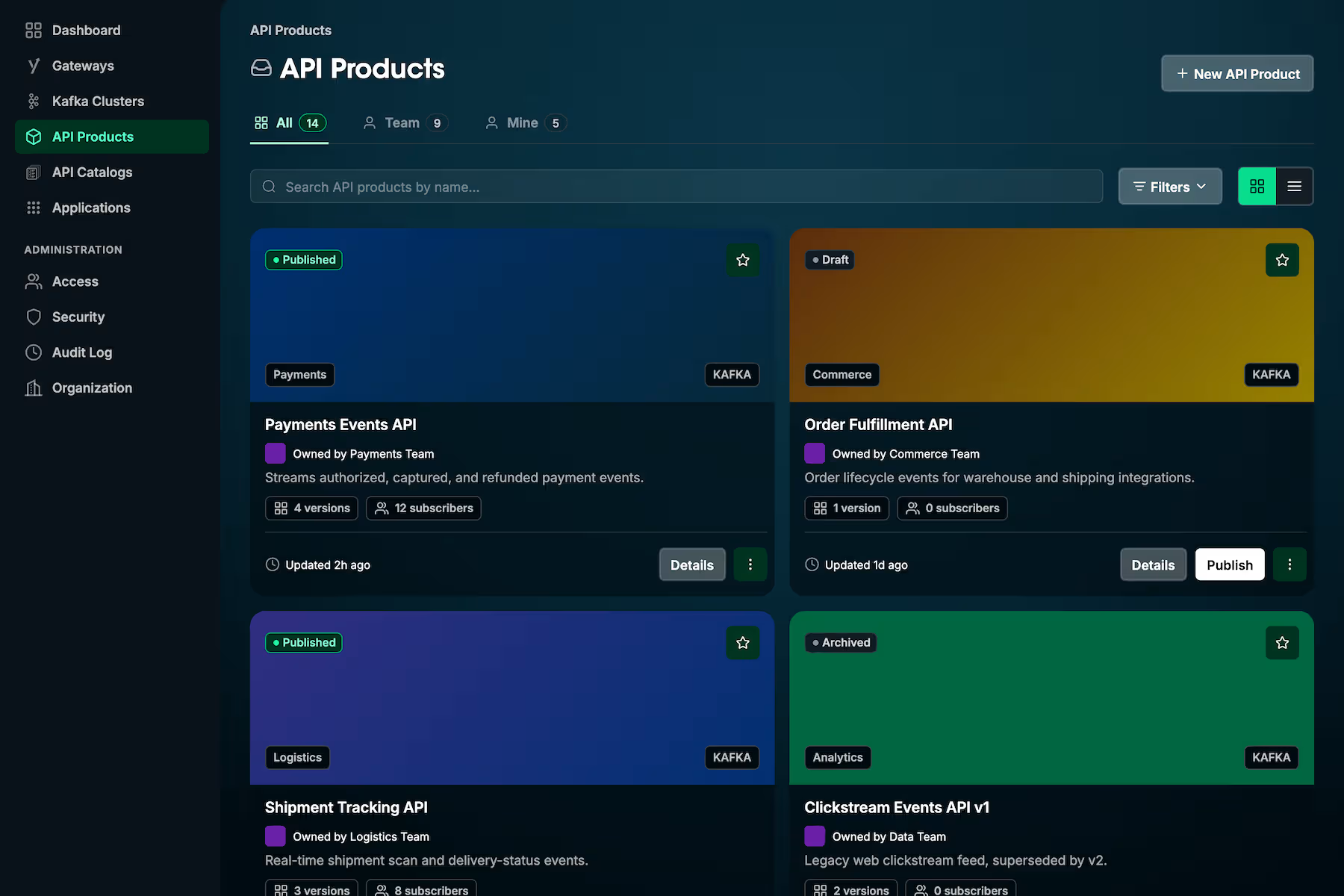
API Data Products in a catalog. Each row is one product; versions and deployments stack underneath.
Then developers take it from there.
Register an Application, subscribe to a product, version, and plan, then copy a working client config from the Connection Guide into any standard Kafka client. No ticket, ever.
New developer to first governed Kafka call. Standard Kafka client over SASL/PLAIN + TLS.
Developers never see your cluster credentials, other teams’ products, or registry config. You get the audit trail: every subscription auditable, every credential revocable, every byte attributable.


In production at
Zilla Plus gave us exactly what we needed — secure, Kafka-native connectivity to our private MSK clusters from anywhere, without compromising security or building custom integrations.
Zilla's extensive protocol support, integrations with AWS services such as Glue Schema Registry and Secrets Manager, as well as robust logging capabilities, gives me confidence it can be a one-stop solution.
Gordon Zardoya
Solution Architect


FAQ
Questions platform teams ask.
Two products, one architecture. The Zilla Console is your management surface — design-time policy, identity, and product definition. The Zilla Kafka Gateway is the data plane: runtime enforcement at the edge. Configuration flows from the Console to your attached gateways over an authenticated control-plane channel; your data never crosses it. Gateways also run standalone from a local zilla.yaml — the Console is the upgrade path when you need a catalog, a developer portal, and centrally defined policy.
Apache Kafka, Amazon MSK (provisioned and Serverless), Confluent Cloud, Aiven, Redpanda, and Cloudera — the same environment-services model across all of them. Schema Registry: Confluent Schema Registry, Karapace, Apicurio. AWS Glue Schema Registry support follows the Zilla Plus matrix. The Console uses the spec, not the registry, as the source of truth for runtime enforcement.
The Zilla data plane is open core — source publicly available on GitHub under the Aklivity Community License. The Zilla Console is a commercial product, sold as an add-on to Plus or bundled in Enterprise. There is no open-source distribution of the management console or control plane. See pricing for the full tier breakdown.
Three structural differences.
Versus Confluent Control Center. Control Center manages Confluent. If you run anything else — or run Confluent alongside MSK, Apache, Redpanda, or Cloudera — it sees one slice of your fleet. The Zilla Console is built for the multi-vendor reality: one console across every supported distribution, one Environment model that groups clusters by purpose rather than vendor, one identity and policy surface regardless of who runs the broker. It also carries a versioned API Data Product catalog with plans and subscriptions, and pushes policy into a stateless multi-protocol data plane.
Versus Conduktor. Conduktor is a Kafka governance overlay with a stateful gateway. The Zilla Console sits above a stateless data plane and brings API Management discipline — catalogs, versioned Data Products, plans, subscriptions, self-service credentials — to Kafka governance. The Zilla data plane also fronts non-Kafka clients; Conduktor’s does not.
Versus API gateways like Kong and Gravitee. HTTP API management products with Kafka surfaces bolted on. The Zilla Console is Kafka-native from the data plane up — wire-protocol passthrough with Virtual Cluster isolation on one side, multi-protocol mediation on the other, one console and one identity model over both. AsyncAPI is a first-class configuration input, not an afterthought.
The same console powers the agent side — Tool Products, an MCP Registry, and governed agent traffic through the Zilla MCP Gateway — under the same identity model and the same catalog discipline. This page covers the Kafka surface.


Get started
Take command of your Kafka fleet.
Producers: record and batch size limits, throughput caps, schema-registry requirements. Consumers: poll-rate limits, lag protection, read-only protection.
runs the full platform locally · under fifteen minutes