One gateway for AI, APIs & Real-time Data.
Zilla connects agents and applications to models, tools, APIs, and live data. Route across protocols, enforce policies, and observe traffic without custom middleware.
Powering Global Data-Driven Organizations








Trusted in Production by Global Organizations




Use cases
One infrastructure layer for applications and AI
Use Zilla for models, agent tools, or streaming data independently, or bring them together in one governed architecture.
Connect and govern AI models
Keep your OpenAI, Gemini, or Anthropic SDK. Route across supported models, translate provider APIs, enforce guardrails, and track token usage.
Connect agents to enterprise tools
Unify MCP servers, expose APIs and Kafka as tools, and control discovery and invocation by caller identity.
Expose and govern real-time data
Expose Kafka through HTTP, SSE, WebSocket, or MQTT. Enforce identity, schemas, and field-level data policies at the edge.
An agent can call a model, invoke an authorized tool, and consume live events, without separate gateway stacks.
Zilla Gateway →Governance
Enforce policy where traffic flows.
Control what agents can do and what data applications can see, at the gateway, not inside every client or integration. One enforcement point, consistent control: policies stay outside the code that consumes models, tools, and data.
Only authorized tools are visible.
An agent discovers tools through Zilla. The returned list reflects the caller's identity.
Unauthorized tools aren't advertised to this caller and are also checked on invocation.
Only permitted data is revealed.
Apply field-level controls to Kafka records before sensitive values reach a consumer.
Different consumer identities can receive different disclosures from the same protected data.

LLM guardrails
Inspect prompts and responses with configured checks for secrets, sensitive data, and prompt patterns.

Observability across protocols
Export metrics and traces for models, tools, APIs, and event traffic without instrumenting each client.


Performance
High performance is built in.
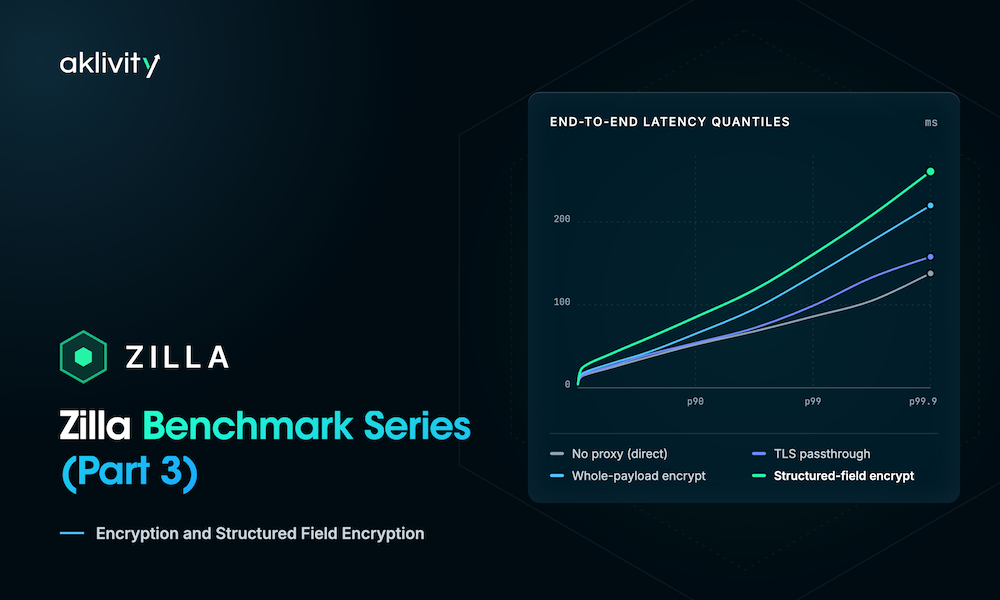
Zilla is designed for low-latency, high-throughput traffic across AI, APIs, and event streaming. Its streaming-native architecture minimizes data movement, memory allocation, and contention, keeping gateway overhead low.

Declarative Configuration
Configure connectivity. Don't code another integration.
Define connections, routing, and policies through composable bindings in zilla.yaml, one configuration model across AI and streaming.
One composable model: bindings, guards, models, and exporters
OpenAPI and AsyncAPI alongside native MCP and Kafka bindings
Change connections and policy without adapter services
Version and deploy config with your CI/CD workflow
Deployment
Stateless by design. Deploy it your way.
Run Zilla near applications and data: locally, on-premises, or in the cloud. A lightweight, stateless data plane with no mandatory database.

Stateless horizontal scaling
Scale horizontally without turning the gateway into a system of record.

Minimal dependencies
Core connectivity needs neither Kafka nor a database. Add stores only for features that need them.

Fit your infrastructure
Run in Docker, Kubernetes, AWS, or on-premises environments.
“Zilla Plus gives us a way to make real-time data in Amazon MSK accessible through familiar APIs without exposing our Kafka infrastructure or building custom middleware for every partner. It gives us a reusable integration pattern that is secure, scalable, and much easier to operate.”

Lotta Opderbeck
Technical Product Owner

Key Results
Kept Amazon MSK private while enabling secure external partner access
Avoided building and operating partner-specific REST-to-Kafka middleware services
Created a reusable integration pattern for future partners and regulations
“Zilla Plus gave us exactly what we needed — secure, Kafka-native connectivity to our private MSK clusters from anywhere, without compromising security or building custom integrations. It’s accelerated our project delivery and simplified how we connect critical business systems across our ecosystem.”

Karthik Rajendran
Platform Owner, KONE
Key Results
Connected MSK clusters securely without public exposure
Accelerated project delivery across SAP & third-party systems
Reduced dev overhead by eliminating custom integrations
“Zilla’s extensive protocol support, integrations with AWS services such as Glue Schema Registry and Secrets Manager, as well as robust logging capabilities, gives me confidence it can be a one-stop solution for all of our external MSK integration needs.”

Gordon Zardoya
Solution Architect, N Brown-Castle Fintech
Key Results
Secure endpoints enabled fast partner integrations
Lead time cut, team focused on Kafka design
Unified interface across Kafka and non-Kafka apps







.png)
Start building with Zilla.
Browse the docs and see Zilla in action, or talk through your architecture with an engineer.


Join the Community
Trade notes with the engineers running Zilla in production, and get help from the team in Slack.